Mental Load at Home: How to See What You’re Carrying
Mental load management starts by making invisible household work visible. Learn how to use Cognitidy to capture hidden tasks, organise household responsibilities into Cabinets, save useful household links, plan bigger jobs on Task Boards and keep recurring costs in view.
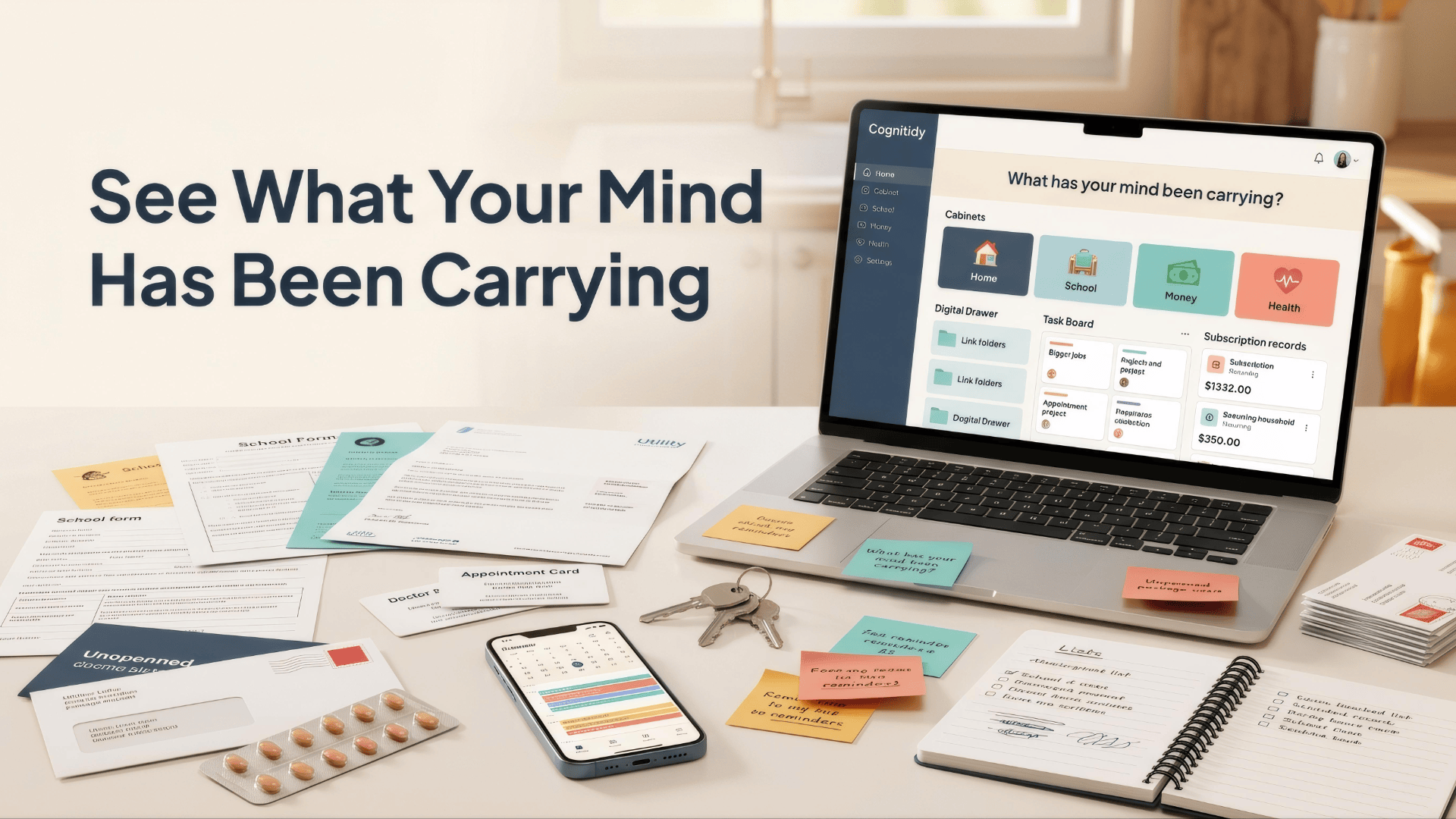
Mental load management is not only about doing household tasks. It is about noticing, remembering, planning and following up on the work that keeps a home running. The visible part might be booking an appointment or paying a bill. The invisible part is remembering that it needs doing, knowing where the link or note is, checking the date and carrying the worry until it is handled.
That invisible work can become frustrating because it is hard to discuss what nobody can see. One person may feel overloaded while another only sees the final task, not the thinking behind it. Research on household mental load recognises this cognitive and emotional layer of domestic work. A practical system cannot solve every fairness issue, but it can make the work clearer, easier to discuss and easier to maintain.
Cognitidy helps by turning hidden household admin into visible structure. Priority Cabinets hold life areas, the Digital Drawer stores useful links, Task Boards manage multi-step home projects and Subscriptions keep recurring payments visible. Together, they create a calm household map.
Mental load management starts with visibility
You cannot rebalance work that has never been written down. Start by creating Cabinets for the main areas of home life: Family, Home, Money, Health, School, Pets, Social and Repairs. Keep the names plain. The aim is not a perfect taxonomy, it is a visible inventory.
Capture the thinking tasks as well as the doing tasks. Instead of only writing a task such as book dentist, add the hidden follow-up if it matters: check availability, compare options, confirm transport, add appointment details and save the practice link. This makes the real size of the task visible.
File household tasks into Cabinets
Once tasks are captured, put each one where it belongs. The Money Cabinet might include council tax, insurance renewals and budget checks. The Health Cabinet might include prescriptions, appointments and exercise priorities. The School Cabinet might include forms, uniform, trip payments and portal links.
Inside each Cabinet, drag the most important or time-sensitive priority to the top. This changes the conversation from a vague sense of overload to a practical view of what is waiting.
Save the links that make admin possible
Household admin often depends on awkward links: school portals, GP booking pages, utility accounts, council pages, insurance logins, online repair manuals and local service providers. If those links live in messages or browser history, one person becomes the household search engine.
Use the Digital Drawer to create folders for practical links. A School folder can hold the parent portal and term date pages. A Money folder can hold provider websites. A Repairs folder can hold online appliance manuals, contractor sites and warranty information pages.
Use Task Boards for home projects
Some household work is not a single task. Planning a repair, organising a room, preparing for a holiday or arranging a family event has stages. A Cognitidy Task Board can split the work into To Do, In Progress, Waiting and Done. Cards show what is active and what is blocked.
Make recurring costs part of the picture
Subscriptions and recurring payments are another hidden load. Cognitidy lets you record cost, billing cycle, currency, renewal date and status, including active, paused and cancelled. This is not financial advice, but it is a visibility habit that helps the household review recurring services deliberately.
Start with one Cabinet
If household admin feels too tangled, start with one Cabinet called Home. Add ten tasks you are carrying mentally, then sort them later. The act of making the invisible visible is already progress. Cognitidy cannot make home life effortless, but it can make the hidden work clearer, more discussable and easier to maintain.
What to review each week
A simple weekly household review keeps the system alive. Open each household Cabinet, check the top priorities and ask whether anything has become urgent. Move bigger jobs onto a Task Board if they now have stages. Save any missing links into the Digital Drawer so nobody has to ask where the portal, form or provider page lives.
Keep the review short and practical. The goal is not to debate every task. It is to agree what matters this week, what can wait and who is taking the next step. That small rhythm can reduce the feeling that household admin is floating around unnamed.
What the system should not do
A mental load system should not become a surveillance tool or a scoreboard. It works best when it creates practical visibility, not blame. Some tasks still need conversation, negotiation and care. Cognitidy simply gives the practical work a place to be seen, updated and revisited.